Shopify Merchant Center setup: 12 mistakes almost everyone makes
12 common Google Merchant Center mistakes for Shopify merchants — disapprovals, low ROAS, and invisible products. How to fix them step by step.
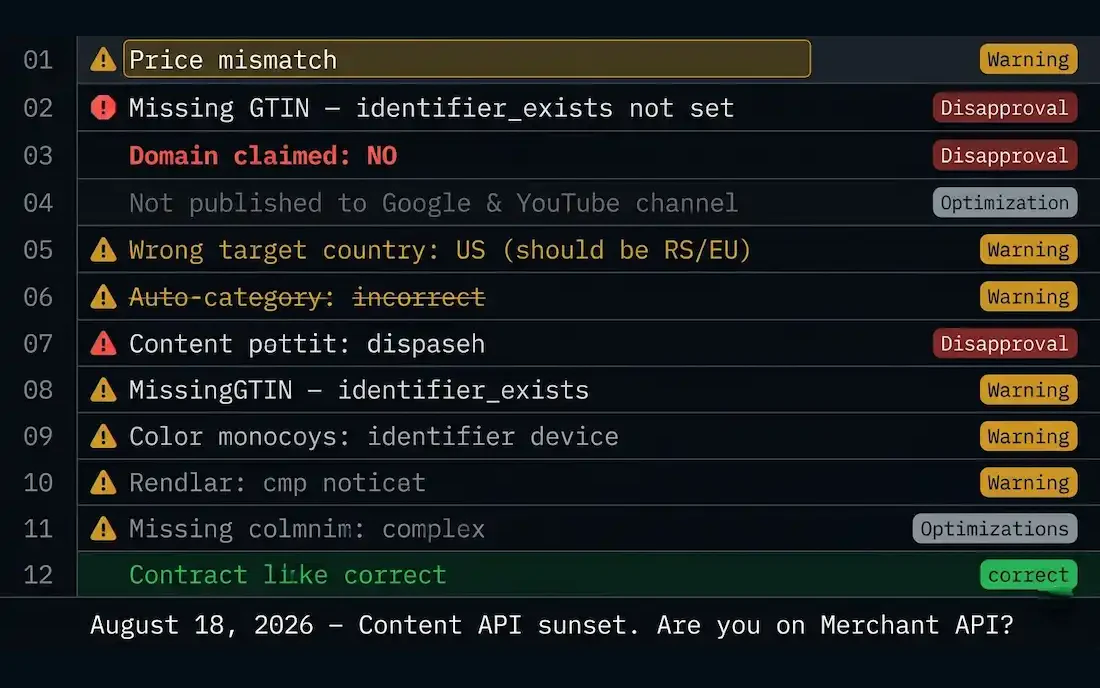
Before we begin
You can check all the mistakes below in one place: Google Merchant Center → Diagnostics tab. The tab shows every disapproved and limited-performance product with the reason and the number of affected SKUs. Open it before you start fixing — it gives you a prioritized list of problems by volume.
12 mistakes, in order of frequency
Mistake 1 — Titles copied directly from Shopify product title fields
Shopify sends the title exactly as it is entered in the admin panel. If it's "T-shirt 001 - blue", Google gets "T-shirt 001 - blue". The correct format for Shopping is [Brand] + [Type] + [Color] + [Size] — e.g., "Nike Blue Short Sleeve T-shirt M". Fix: either edit directly in Shopify or use feed transformation in the Google & YouTube app under Settings → Feed rules.
Mistake 2 — GTIN field empty or filled with internal SKU
Shopify has a dedicated Barcode (ISBN, UPC, GTIN) field in the Shipping section of each product. Most sellers never fill it in or put an internal SKU. For branded products, Google from 2026 requires a valid GTIN — without it, disapprovals or limited performance status occur. Fix: Products → [product] → Shipping → Barcode → enter the EAN-13 from the packaging (13 digits).
Mistake 3 — Mismatched price between Shopify and Merchant Center
This is the most common reason for disapproval in 2026. It happens when Shopify has a sale price but the feed still sends the regular one, or vice versa. Google checks the price on the landing page and compares it with the feed — any discrepancy = immediate disapproval. Fix: in Google & YouTube app → Settings → Sync frequency → set to Real-time instead of Daily.
Mistake 4 — Wrong target country in Merchant Center
Products are active in Merchant Center, but there are no impressions on Google Shopping. The most common cause: target country is set to US or UK instead of the desired market. Fix: Merchant Center → Settings → Shipping and returns → Target countries → add the desired market.
Mistake 5 — Variants sent as separate products
Shopify stores with variants (color, size) often end up with each variant as a separate listing in Merchant Center instead of being grouped under one parent product. This fragments bids and confuses the auction. Fix: Google & YouTube app → Feed settings → Variants → Enable "Group variants by parent product" + check that each variant has a unique SKU.
Mistake 6 — Shipping policy not created in Merchant Center
Google cannot display a Shopping ad without a defined shipping cost. Shopify does not automatically send your shipping settings to Merchant Center. Fix: Merchant Center → Shipping and returns → create a new shipping service with accurate shipping prices and delivery times.
Mistake 7 — Images do not meet minimum requirements
Shopify theme thumbnails are often square and small. Google requires a minimum of 100×100px for non-apparel and 250×250px for apparel products — but in practice, images below 800×800px receive limited performance status and fewer impressions. Fix: set product images to a minimum of 800×800px, white background for apparel categories.
Mistake 8 — Category (google_product_category) not filled
Shopify automatically tries to map categories, but that mapping is generic. If you leave it on auto, most products end up in "Apparel & Accessories" regardless of what you sell. Fix: use feed rules in the Google & YouTube app or DataFeedWatch/Channable to manually map categories to Google Taxonomy ID numbers.
Mistake 9 — Descriptions shorter than 150 characters
Shopify descriptions written for SEO on the site are not automatically good for the Shopping feed. Google uses the description for matching with long-tail searches — short or marketing copy reduces reach. Fix: descriptions in the feed should be a minimum of 500 characters, feature-first (material, dimensions, purpose), without promotional language.
Mistake 10 — Return policy not linked in the site footer
The Google Merchant Center site check includes scanning the footer for the return policy, terms of use, and contact page. The lack of these pages or links directly in the footer increases the risk of a Misrepresentation suspension. Fix: Shopify → Navigation → Footer menu → add Refund Policy, Privacy Policy, and Contact Us.
Mistake 11 — Migration to Merchant Center Next not completed
Google announced the shutdown of the legacy Content API on August 18, 2026. Merchants who are still on the old Merchant Center interface risk a break in feed synchronization. Fix: Merchant Center → check if your interface has already been migrated to the "Next" version; if not, start the migration before August.
Mistake 12 — Diagnostics tab not tracked regularly
This is not a technical error — it is a process error. Merchant Center Diagnostics changes every time Google re-indexes your feed, which is usually every 24–48 hours. Errors that appear on Friday remain until the following Monday if no one is looking. Fix: set up email notifications in Merchant Center → Account → Notifications → turn on all Diagnostics alerts.
Quick health check — priority table
| Mistake | Impact on Performance | Fix Time |
|---|---|---|
| Mismatched price (#3) | · Immediate disapproval | 15 minutes |
| Missing shipping policy (#6) | · No display | 30 minutes |
| Empty GTINs (#2) | · Limited performance | 1–3 days (bulk) |
| Poor titles (#1) | · Low CTR and ROAS | 2–5 days (rewrite) |
| Short descriptions (#9) | · Smaller reach | 1–2 days |
| Poor categories (#8) | · Wrong auction | 2–4 hours |
| Merchant Center Next (#11) | · August 2026 shutdown | 30 minutes |
No time to manually go through all 12 points?
We will do a feed audit for you in 48 hours.
Follow this blog for future case studies and analyses.
Want this kind of result on your store?
Request a free analysis